
Download OneCliq – AI Video‑to‑Content Converter, Free & Secure
Introduction: Transform Video Content Effortlessly
OneCliq is an advanced AI‑driven writing assistant that reshapes the way businesses, agencies, and individual creators handle video material. Instead of manually cutting clips, drafting blog posts, or composing social‑media captions, OneCliq automates the entire workflow. By feeding a single video into the web‑based platform, users receive a suite of ready‑to‑publish assets: short, platform‑optimized video snippets, fully‑structured articles, eye‑catching newsletters, and data‑backed social posts.
The tool also incorporates auto‑captioning and chaptering, guaranteeing accessibility for viewers with hearing impairments and making long‑form content easier to navigate. What truly sets OneCliq apart is its strategic layer—leveraging audience analysis, competitor insights, and trending‑topic detection to suggest titles, descriptions, and hashtags that boost discoverability across YouTube, LinkedIn, Instagram, and emerging short‑form channels. As users interact more with the system, the AI learns their brand voice, tone preferences, and performance metrics, continuously refining its recommendations.
Although OneCliq currently runs only on desktop browsers, its cloud‑native architecture ensures fast processing and secure storage, making it a trustworthy hub for high‑volume content teams. Whether you’re repurposing a webinar, turning a product demo into a blog series, or generating daily social snippets from a live stream, OneCliq streamlines the entire pipeline, saving time, reducing cost, and amplifying reach.
Core Features & Benefits
- AI‑Powered Video Chaptering – The platform automatically detects logical breaks in your footage, creating precise chapters that can be exported as individual clips or used as navigation markers in long‑form posts.
- Multi‑Format Reformatting – OneCliq converts a single source video into short‑form reels (15‑60 seconds), square Instagram posts, vertical TikTok snippets, and even full‑length YouTube videos, all with optimal aspect ratios and bitrate settings.
- Auto‑Captioning & Transcription – Built‑in speech‑to‑text engines generate accurate captions in multiple languages, improving SEO, accessibility, and user engagement.
- Instant Blog Generation – The AI drafts a structured article, complete with headings, sub‑headings, and SEO‑friendly meta tags, directly from the video transcript.
- Social Media Post Builder – OneCliq suggests attention‑grabbing copy, emojis, and hashtags based on audience sentiment analysis and competitor benchmarking.
- Newsletter & Email Copy – Turn video highlights into concise, personalized newsletters that maintain brand consistency and drive click‑through rates.
- Trend Detection & Topic Suggestions – Real‑time data feeds surface emerging topics within your niche, enabling proactive content planning.
- Performance Optimization – The tool evaluates titles, descriptions, and thumbnails, offering A/B‑tested recommendations to improve click‑through and watch time.
- Brand Voice Learning – Over time, OneCliq adapts to your preferred tone, style guidelines, and terminology, ensuring every piece of generated content feels authentically yours.
- Secure Cloud Processing – All video uploads and AI calculations happen on encrypted servers, adhering to GDPR and CCPA standards for data privacy.
These features combine to create a unified content engine that eliminates repetitive manual tasks. Marketers can focus on strategy rather than editing, while creators gain the freedom to experiment with new formats without worrying about technical constraints. The result is a faster content turnaround, higher engagement metrics, and a measurable boost in organic reach across all digital channels.
Installation, Usage & Compatibility
Step‑by‑Step Setup
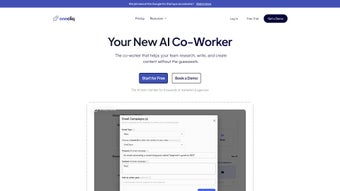
OneCliq is a web‑based application, which means there is no traditional software download required. To get started, visit the official OneCliq website and click the “Sign Up” button. The registration process is straightforward: provide an email address, set a secure password, and confirm your account via a verification link.
Once logged in, you’ll be greeted by a clean dashboard where you can upload videos directly from your computer or import them from cloud storage services such as Google Drive, Dropbox, or OneDrive. The platform supports common video formats including MP4, MOV, and AVI, with a maximum file size of 5 GB per upload (larger files can be split using the built‑in splitter). After the upload, OneCliq begins processing within seconds, displaying a progress bar that indicates when chaptering, transcription, and format conversion are complete.
How to Generate Content
With the video processed, you can choose from a menu of output options. For short clips, select the desired duration (e.g., 15 seconds, 30 seconds) and the target platform; OneCliq automatically crops and adds platform‑specific overlays. To create a blog post, click “Generate Article” – the AI will produce a draft with SEO‑optimized headings, a meta description, and suggested internal links.
For social media, the “Social Suite” offers a carousel of pre‑written captions, hashtag bundles, and thumbnail suggestions. Each generated asset can be edited in‑app before export, allowing you to fine‑tune tone or add brand logos. Finally, click “Export” to download the files or push them directly to scheduling tools like Buffer or Hootsuite.
The entire workflow—from upload to final export—typically takes under ten minutes for a 30‑minute video, dramatically reducing the time traditionally required for multi‑channel repurposing.
System Requirements & Operating System Support
OneCliq runs on any modern desktop operating system that supports a recent web browser (Chrome, Edge, Firefox, Safari). It is optimized for Windows 10/11, macOS 12 Monterey and later, and Linux distributions with a Chromium‑based browser. Because the heavy lifting occurs on OneCliq’s secure cloud servers, local hardware specifications are minimal; a stable internet connection (minimum 10 Mbps) is the only real prerequisite. Mobile users can view generated assets via the responsive web interface, but content creation and heavy editing are recommended on a desktop for the best experience.
Pros, Cons & Frequently Asked Questions
Pros
- All‑in‑one platform eliminates the need for multiple editing tools.
- AI‑driven automation speeds up content repurposing by up to 80%.
- Auto‑captioning improves accessibility and SEO without extra effort.
- Data‑backed topic suggestions keep your strategy ahead of trends.
- Secure cloud processing ensures compliance with privacy regulations.
- Brand‑voice learning creates consistent messaging across all assets.
Cons
- Currently limited to desktop browsers; no native mobile app.
- Maximum upload size of 5 GB may require splitting larger productions.
- Advanced customization (e.g., custom animations) is not available yet.
- Free tier imposes a monthly limit on processed minutes.
- Learning curve for new users unfamiliar with AI‑generated content.
Is OneCliq free to use?
OneCliq offers a free tier that includes up to 5 hours of video processing per month, basic auto‑captioning, and limited export options. For unlimited processing, advanced analytics, and premium integrations, paid plans start at $19.99 per month.
Can I edit the AI‑generated content before publishing?
Absolutely. Every piece of text—whether it’s a blog draft, social caption, or newsletter—opens in an in‑app editor where you can adjust tone, replace keywords, or add brand‑specific calls‑to‑action before exporting.
How secure is my video data on OneCliq?
OneCliq stores all uploads on encrypted servers that comply with GDPR, CCPA, and ISO‑27001 standards. Files are automatically deleted from the cloud after 30 days unless you choose to keep them in a secure vault.
Which platforms does OneCliq support for direct publishing?
OneCliq integrates with major social‑media scheduling tools (Buffer, Hootsuite) and can push videos directly to YouTube, Instagram, TikTok, LinkedIn, and Facebook via API connections. Exported files can also be downloaded for manual upload.
Does OneCliq offer multi‑language captioning?
Yes. The auto‑caption engine supports over 20 languages, allowing you to generate subtitles and translated captions in a single workflow, which is especially useful for global audiences.
Conclusion & Call to Action
OneCliq stands out as a comprehensive, AI‑powered hub for anyone who needs to transform video assets into a full content ecosystem quickly and securely. Its blend of automated chaptering, multi‑format reformatting, and data‑driven copywriting eliminates the siloed tools that traditionally slowed down content teams. While the lack of a native mobile app and the 5 GB upload ceiling may pose minor inconveniences, the benefits—significant time savings, consistent brand messaging, and enhanced SEO—far outweigh these limitations.
For marketers aiming to maximize the ROI of video production, agencies looking to streamline client deliverables, or creators eager to expand reach without hiring a full‑time editing crew, OneCliq offers a scalable solution that grows smarter with each use. Ready to see your videos work harder for you? Sign up for a free account today, upload your first video, and experience the power of AI‑driven content transformation in minutes.
OneCliq delivers an impressive suite of AI features that cut video repurposing time dramatically. The auto‑captioning and SEO recommendations are particularly valuable for brands focused on accessibility and discoverability. Though the desktop‑only restriction can be a hurdle for on‑the‑go creators, the platform’s secure cloud processing and brand‑voice learning make it a worthy investment for professional teams.
- Pros: All‑in‑one workflow, AI accuracy, data‑backed insights.
- Cons: No mobile app, upload size limit.



.png)



